
Mind that eBay only allows you to make changes in bulk up to 200 or 500 listings at a time (depends on the kind of your eBay account). So if you have a lot of listings you'll need to repeat the procedure a few times accordingly:
1. Go to your Seller Hub in eBay > Listings, scroll down the page to RESULTS and pick out the first 500 listings to edit:

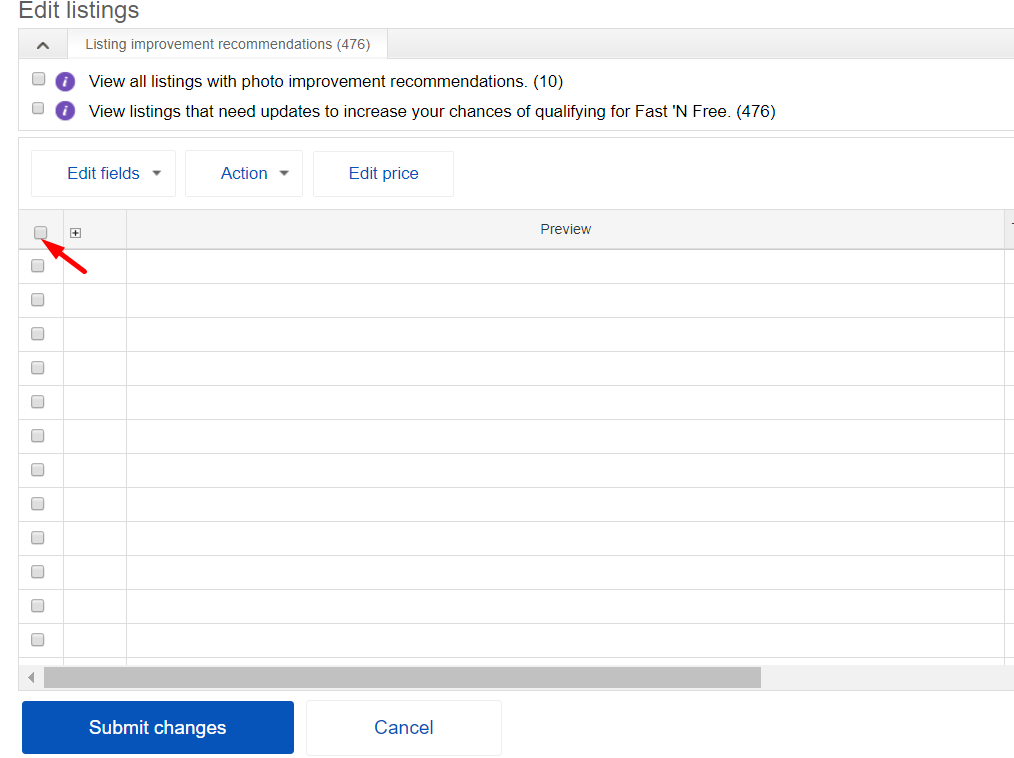
2. In the next screen - select all checkbox:
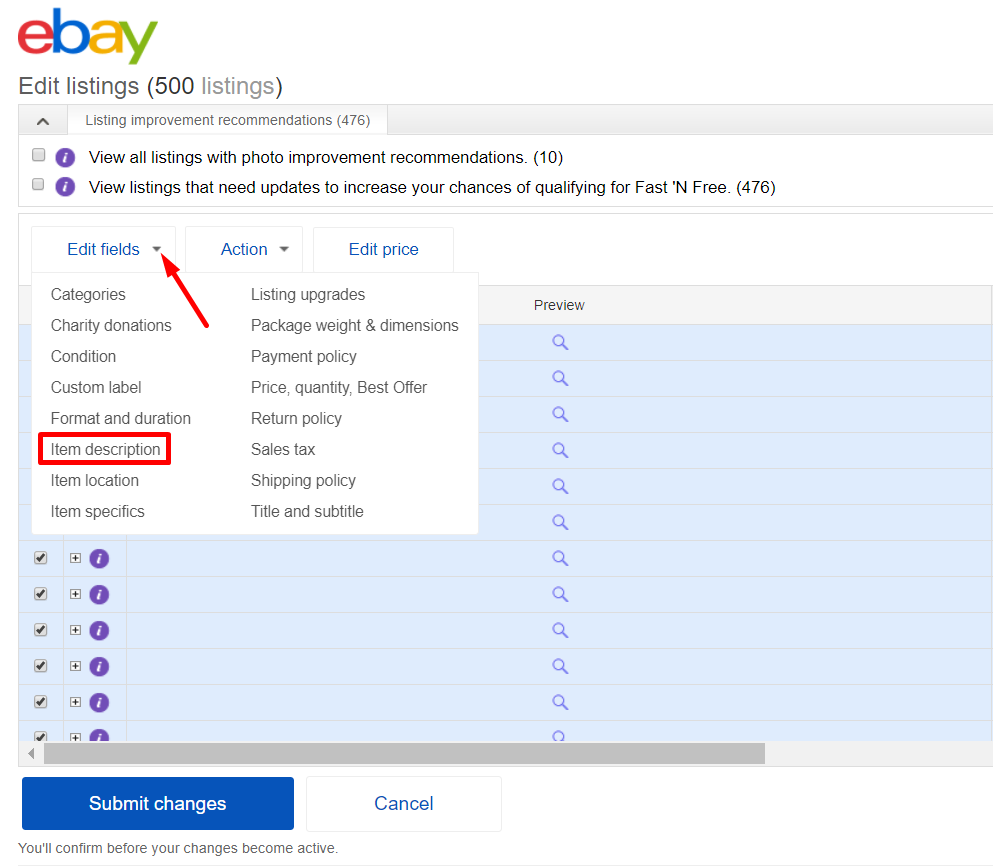
3. Select Edit Fields > Item Description:
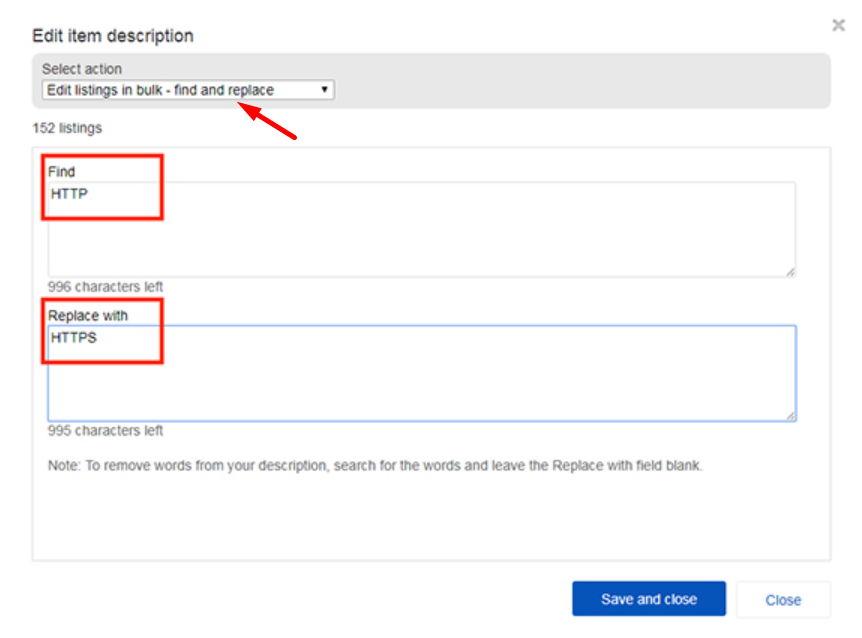
4. Now fill the fields with information as in the screenshots below, and save:
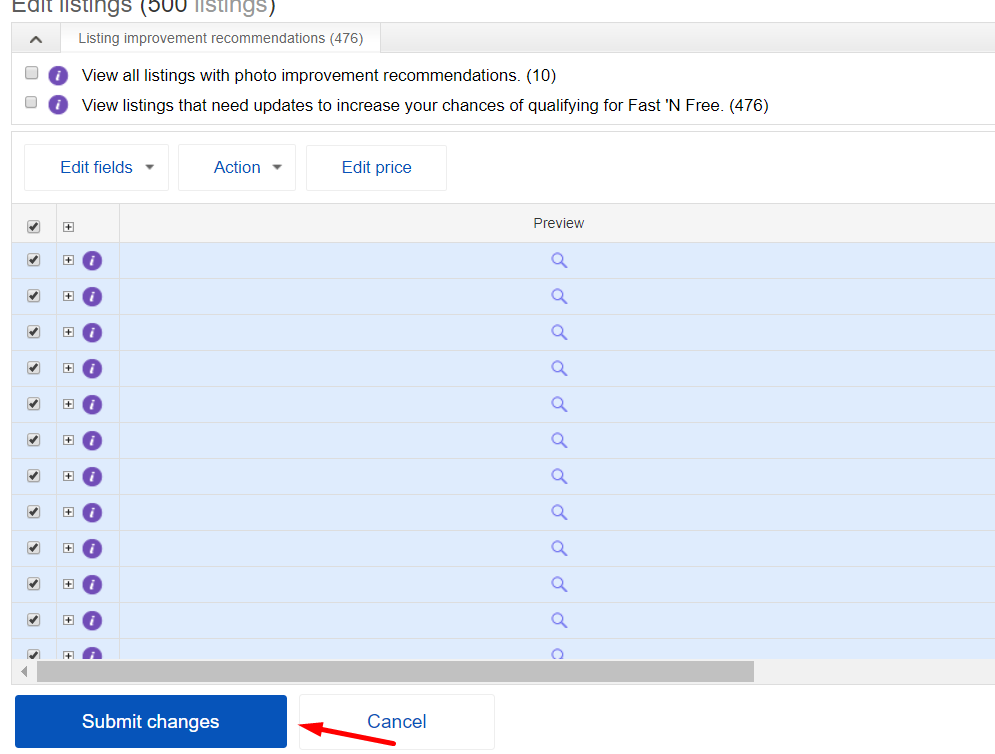
5. Click Submit changes:
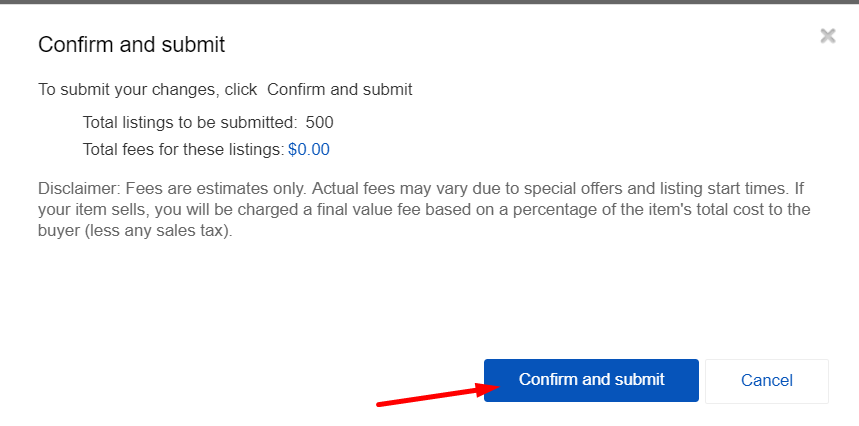
6. Click Confirm and submit - and you are done!
Comments
0 comments
Article is closed for comments.